FAQs
Add FAQs
The FAQ tab is used to create and manage frequently asked questions to assist customers and reduce ticket volume. FAQs serve as a valuable resource for self-service support, reducing repetitive inquiries.
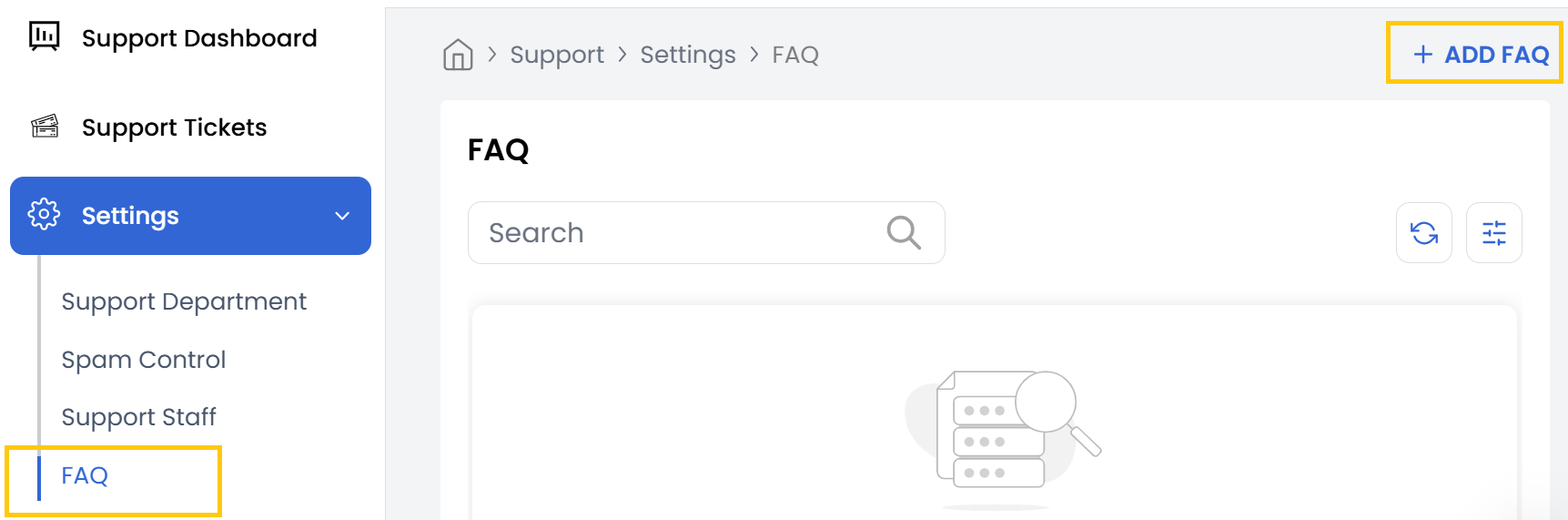
- To View and Add a New FAQ, navigate to the FAQ tab. Click on Add FAQ.
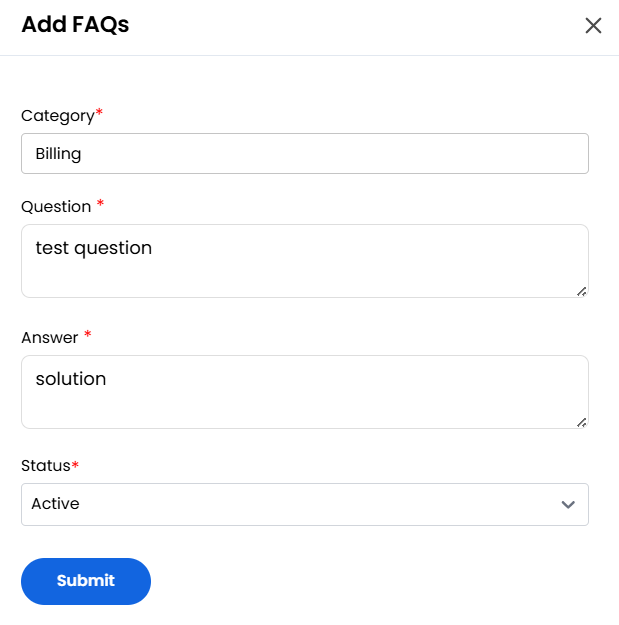
- Enter the FAQ category, the frequently asked Question and Answer with the detailed response.
- Choose whether the Status of FAQ should be Active or Inactive and click Submit to create the new FAQ entry.
Conclusion
The FAQ management system provides an effective way to build a self-service knowledge base for your customers. By maintaining comprehensive and well-organized FAQs, you can improve customer experience while reducing the workload on your support team.